CompatibilityCheck the platform first
 Microsoft
Digital deliveryGuided selectionCAD checkout path
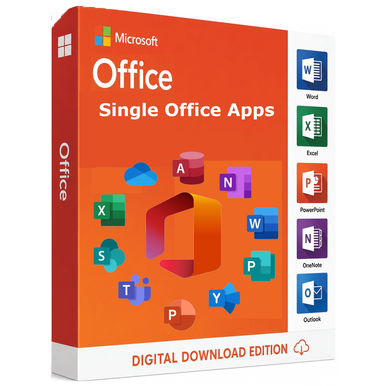
Microsoft · Office Apps
Microsoft Office Apps for 1 PC
Add a standalone Microsoft productivity application for a compatible Windows workflow.
Windows PC Application licence Electronic delivery
Price & optionsView current CAD pricingChoose the exact edition and quantity on Software Mart Australia.
Choose options & buy Exact options at source Secure source checkout
Licence modelCompare rights, not just names
Final selectionConfirm options on the source store
Product overview
Add a standalone Microsoft productivity application for a compatible Windows workflow.
Microsoft Office Apps for 1 PC is available through Software Mart Australia with current options and Canadian-dollar pricing shown on the source product page. Review the exact edition, licence scope, device quantity, compatibility and fulfilment terms before checkout.
What this product helps you do
- Standalone productivity app
- Perpetual options
- Windows compatibility guidance
- Electronic delivery
Reasons to consider it
Why Microsoft Office Apps for 1 PC may earn a place on your shortlist.
The strongest reason to purchase is a verified fit between the product, the environment and the licence rights—not the product name alone.
Build a consistent desktop productivity toolkit
Standalone productivity app
Select the applications the workflow genuinely needs
The listed application licence model can be assessed against the intended user, device or server scope.
Compare release and platform before purchase
Compatibility guidance keeps Windows PC requirements visible before checkout.
Retain a clear route to current source options
The purchase button leads directly to the corresponding source listing for current options and CAD pricing.
Technical specifications
Key facts for planning and procurement.
Use this table to prepare the purchase decision. The linked source listing and publisher terms remain authoritative for exact rights and requirements.
| Product family | Office Apps |
|---|---|
| Release or edition | Microsoft |
| Intended platform | Windows PC |
| Licence model | Application licence |
| Licence scope | Confirm the permitted user, device or installation count at the source |
| Deployment context | Windows PC installation or deployment according to the selected source option |
| Delivery method | Electronic delivery |
| Lifecycle consideration | Confirm current publisher support and environment requirements before deployment |
| Seller and fulfilment | Software Mart Australia |
| Pre-purchase requirement | Confirm that the selected app, release and licence work with the installed Windows and Office environment. |
Product comparison
Compare Microsoft Office Apps for 1 PC with nearby options.
A concise view of release, platform and licence positioning. Open each guide for full context.
| Product | Release / edition | Platform | Licence | Best comparison point |
|---|---|---|---|---|
| Microsoft Office Apps for 1 PCCurrent page | Microsoft | Windows PC | Application licence | Confirm the permitted user, device or installation count at the source. Windows PC installation or deployment according to the selected source option. |
| Microsoft Publisher 2021 | 2021 | Windows PC | Perpetual licence | Confirm the permitted user, device or installation count at the source. Windows PC installation or deployment according to the selected source option. |
| Microsoft Publisher 2019 for Windows | 2019 | Windows PC | Perpetual licence | Confirm the permitted user, device or installation count at the source. Windows PC installation or deployment according to the selected source option. |
Purchase flow
From product choice to activation.
Confirm the fit
Review the edition, platform, device count and licence channel.
Select on the source store
Choose the exact product option and verify live CAD pricing.
Complete checkout
Payment and order verification happen with Software Mart Australia.
Follow delivery guidance
Use the supplied download, installation and activation instructions.
Comprehensive product FAQ
Answers before you commit.
Review the most important compatibility, licensing, delivery and purchase questions for Microsoft Office Apps for 1 PC.
Ask a different questionWhat is Microsoft Office Apps for 1 PC?+
Microsoft Office Apps for 1 PC is a Office Apps selection for specialists who need a particular Microsoft desktop application. Microsoft Office Apps for 1 PC is available through Software Mart Australia with current options and Canadian-dollar pricing shown on the source product page. Review the exact edition, licence scope, device quantity, compatibility and fulfilment terms before checkout.
Who is Microsoft Office Apps for 1 PC best suited to?+
It is most relevant to specialists who need a particular Microsoft desktop application. The best fit still depends on platform, edition, licence scope and the environment described on the source listing.
What should I check before purchasing?+
Confirm that the selected app, release and licence work with the installed Windows and Office environment. Also confirm the exact option, quantity, currency and fulfilment terms shown on Software Mart Australia.
How is the licence assigned?+
Confirm the permitted user, device or installation count at the source. The source product page and publisher terms control the licence rights.
Does this include the server or operating system software?+
This page describes the named software product. Any prerequisite operating system, server software, subscription or access licence must be confirmed separately.
Can I install or use it on more than one device?+
Only when the selected source option and publisher terms cover that number of users, devices or installations. The catalogue lists the licence model as Application licence.
How and when is it delivered?+
Electronic delivery is indicated for this catalogue entry. Order verification, timing, download information and any activation details are provided by Software Mart Australia after purchase.
Where do I see the current Canadian price and complete terms?+
Use the purchase button to open the matching Software Mart Australia product-selection page with Canadian Dollar requested. Verify the final currency, availability, option and total before checkout.
What if the product is incompatible or I select the wrong edition?+
Pause before activation and contact the source-store support team with the product name, device or server details, operating system and order number. Digital-product return limitations may apply, so compatibility should be confirmed before purchase.
Compare options
Related Office Apps products.
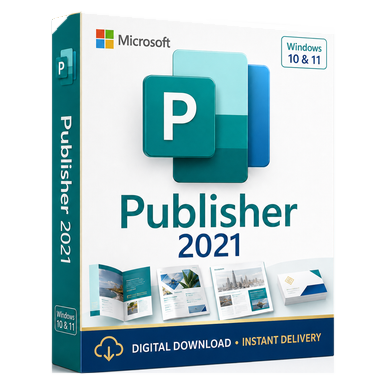 2021
2021
Microsoft · Office Apps
Microsoft Publisher 2021
Standalone desktop publishing for professional print layouts.
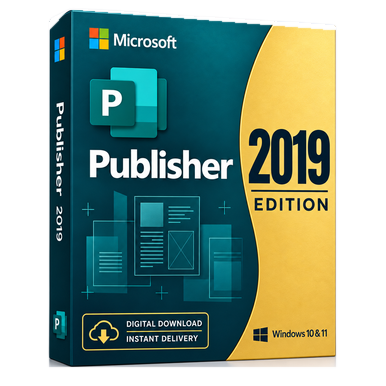 Legacy
Microsoft · Office Apps
Microsoft Publisher 2019 for Windows
Desktop publishing for established Publisher 2019 workflows.